
5th Apr 2026
Why Is My Walkie Talkie Beeping? 7 Causes & Quick Fixes

This guide was written and reviewed by the Baofeng UK technical team — UK-based radio communications specialists with over 10 years of experience diagnosing and resolving two-way radio faults. Important: Baofeng menu names, menu numbers and warning sounds vary between models. Do not assume instructions for one UV-5R variant, BF-888S or PMR446 radio apply to every Baofeng radio.
If your walkie talkie keeps beeping, the cause is usually a low battery, an enabled keypad or Roger tone, a transmit time-out, an invalid channel, or a problem with the PTT button or connected accessory.
The most useful clue is when the beep happens. A chirp every few seconds means something different from a beep when you press PTT or a tone every time you release the transmit button.
Use the table below to identify your beep, then jump to the relevant section.
| When you hear the beep | Likely cause | What to try first |
|---|---|---|
| Repeating chirp every few seconds | Low or failing battery | Fully charge or test another battery |
| Every time you press a keypad button | Keypad beep enabled | Turn the BEEP/key tone setting off |
| When you release PTT | Roger/end-of-transmission tone | Disable the Roger tone if available |
| After talking continuously for a while | Time-Out Timer | Release PTT and transmit again |
| Immediately when pressing PTT, no transmission | Busy channel lockout, invalid channel or programming issue | Check channel and programming |
| Only when an earpiece or speaker mic is connected | Accessory/PTT problem | Disconnect the accessory and retest |
| Around the charger rather than during normal use | Battery, charger or contact problem | Check battery seating and charging contacts |
⚡ 7 causes at a glance
- 🔋 Cause 1: Low or failing battery — repeating chirp every few seconds
- 🔊 Cause 2: Keypad beep enabled — beeps every button press
- 📢 Cause 3: Roger/end-of-transmission tone — beep when you release PTT
- ⏱️ Cause 4: Time-Out Timer activated — beeps and stops after long transmission
- 📡 Cause 5: Channel or programming problem — beep immediately when pressing PTT
- 🎧 Cause 6: Earpiece, PTT button or VOX issue — only happens with accessory connected
- 🔌 Cause 7: Charger or battery contact problem — happens around charging, not during use
📋 Table of Contents
- Cause 1: Low or failing battery
- Cause 2: Keypad beep switched on
- Cause 3: Roger beep enabled
- Cause 4: Time-Out Timer
- Cause 5: Cannot transmit on the selected channel
- Cause 6: PTT button, earpiece or VOX setting
- Cause 7: The charger may be the problem
- What if the radio beeps when I press PTT but nobody hears me?
- Should you factory reset a beeping Baofeng?
- Recommended accessories and replacement radios
- When is the radio probably faulty?
- Final troubleshooting checklist
- Frequently asked questions
Your Battery Is Low or Failing
Symptom: Repeating chirp every few seconds · Fix: Charge or replace battery
A repeating chirp or warning tone is commonly associated with low battery voltage. Receiving uses relatively little power compared with transmitting. This means a battery may appear to work normally while listening but struggle when you press the Push-to-Talk button.
Start by:
- Fully charging the battery
- Removing and reseating it firmly
- Checking the battery contacts for dirt or corrosion
- Testing the radio with another compatible, fully charged battery if possible
If the radio works normally with the second battery, the original battery is probably the problem rather than the radio itself. Older lithium-ion batteries gradually lose their ability to hold charge. Warning signs include much shorter operating time, unexpected shutdowns or the radio beeping soon after it has supposedly been fully charged.
For more help diagnosing battery problems, see our walkie talkie battery guide. If the battery will not charge correctly in the first place, follow our walkie talkie charging troubleshooting guide.
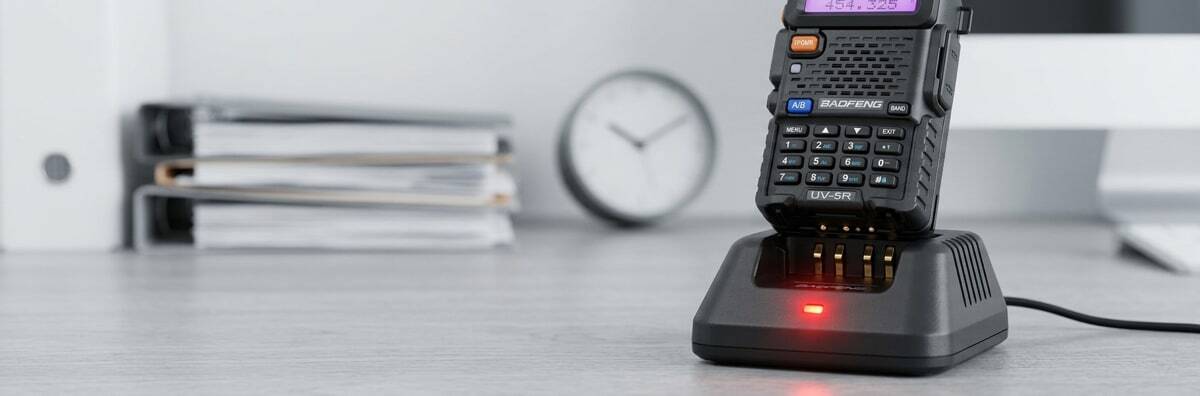 A low-battery warning light or repeating chirp is one of the most common reasons a walkie talkie keeps beeping. Always charge fully and test a second battery before assuming the radio itself is at fault.
 ⚠️ Battery Safety Note: Stop using a rechargeable battery if it is swollen, leaking, excessively hot, physically damaged or producing an unusual smell. Replace it with a compatible battery for your exact radio model.
The Keypad Beep Is Switched On
Symptom: Beeps every button press · Fix: Turn BEEP/key tone off in settings
Does the radio beep only when you press buttons? That may not be a fault at all. Many Baofeng handheld radios have an audible keypad feedback setting, often labelled BEEP, key tone or a similar name. When enabled, the radio produces a short confirmation tone each time a button is pressed.
If you prefer silent controls, look for the BEEP or key-tone option in your radio's settings and switch it off. The exact menu position varies between models, so check the instructions for your particular radio rather than relying on a menu number intended for another Baofeng.
You Are Hearing a Roger Beep
Symptom: Short beep when you release PTT · Fix: Disable Roger/end-of-transmission tone
If you hear a short beep immediately after releasing the PTT button, it may be an end-of-transmission tone commonly called a Roger beep. Its purpose is to tell other users that you have finished transmitting. This can be useful in noisy environments or when teams are learning radio procedure. However, some security, hospitality and workplace teams prefer quieter operation.
On radios that support the feature, look for a setting labelled Roger, ROGER, transmit-end tone or something similar and disable it. The setting name and menu position depend on the model.
The Time-Out Timer Has Stopped Your Transmission
Symptom: Beeps and stops transmitting after long PTT hold · Fix: Release PTT and retransmit
Does your radio work normally at first, then beep and stop transmitting after you have held PTT for a long time? The Time-Out Timer (TOT) may have activated. A TOT limits how long one continuous transmission can remain active. It helps prevent a channel being occupied indefinitely if someone accidentally holds down the PTT button.
How to fix it: Release the PTT button completely, wait briefly and press it again if you still need to speak. For normal team communication, shorter transmissions are generally easier for everyone to follow anyway. Some programmable radios allow the timer to be adjusted — check your radio's manual before changing it.
🔵 Also cutting out during ordinary conversations? Read our guide explaining why your walkie talkie keeps cutting out and how to fix it.

The Radio Cannot Transmit on the Selected Channel
Symptom: Immediate beep when pressing PTT, no transmission · Fix: Check channel config and programming
A beep immediately after pressing PTT — especially when the radio refuses to transmit — can indicate a channel or programming problem. Possible causes include an unused or unprogrammed memory channel, a transmit frequency that has not been configured, transmit being intentionally disabled on that channel, a busy-channel lockout feature, or incompatible channel settings.
If you recently changed frequencies or programmed the radio with a computer, compare the current configuration with a known working backup.
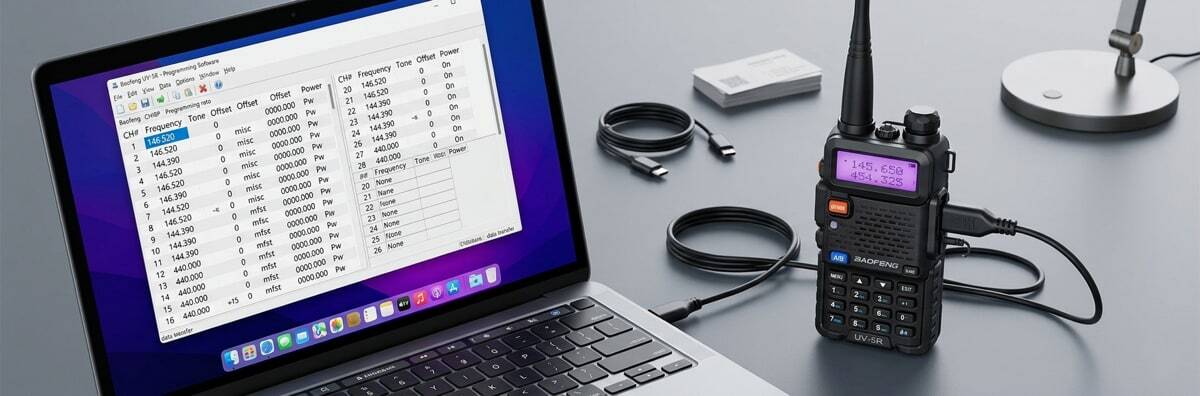 CHIRP programming software makes it easy to inspect memory channels, check T-CTCS/R-CTCS settings and identify configuration mismatches that could cause an immediate PTT beep with no transmission.
 For compatible models, CHIRP can make it easier to inspect memory channels and configuration settings. See our step-by-step guide on how to program a Baofeng radio with CHIRP.
⚠️ UK Users: Check Before Transmitting
Programming a frequency into a radio does not automatically mean you are permitted to transmit on it. PMR446 equipment can be operated without an individual licence in the UK when the radio and its operation meet the applicable PMR446 requirements. Programmable amateur-radio transceivers are a different category and require the appropriate authorisation for transmitting on amateur bands. If you are unsure which category your radio belongs to, read our licensed vs licence-free walkie talkie UK guide before transmitting.
Your PTT Button, Earpiece or VOX Setting Is Triggering the Radio
Symptom: Beeping only when accessory is connected · Fix: Disconnect accessory and test
If the beeping starts when you connect a headset, earpiece or speaker microphone, isolate the accessory first. Turn the radio off, disconnect the accessory and switch the radio on again. If the problem disappears, inspect the accessory and connector for:
- A stuck remote PTT button
- Damaged or pinched wiring
- Moisture
- Dirt around the connector
- A plug that has not been inserted fully
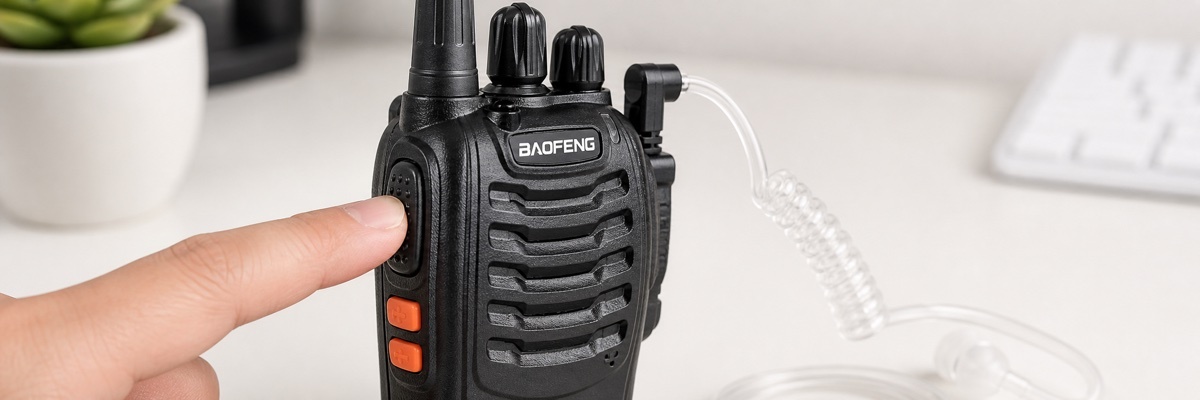 A stuck remote PTT switch, damaged wiring or a poorly seated connector can cause unexpected beeping that only appears when an earpiece or speaker microphone is connected. Disconnect the accessory and test the radio on its own first.
 If the existing accessory is faulty or damaged, browse our range of Baofeng earpieces and check compatibility with your radio model.
Check VOX as Well
VOX allows some radios to transmit when they detect sound instead of requiring PTT. If VOX sensitivity is too high, background noise, clothing movement or sound from an earpiece microphone can accidentally trigger transmission or create behaviour that appears intermittent. Temporarily switch VOX off and test the radio again. For a fuller explanation of how the feature works, read what VOX means on a walkie talkie.
The Problem May Actually Be the Charger
Symptom: Unusual behaviour only while charging · Fix: Check battery seating, contacts and cables
Sometimes a user describes a radio as "beeping" when the unusual behaviour only occurs while the battery is being charged. If that is the case, troubleshoot the charging system separately.
Check:
- Whether the battery is seated correctly
- Whether the charger is intended for that battery
- Battery and charger contact points
- USB or power cables
- The mains adapter
- Whether another compatible battery charges normally
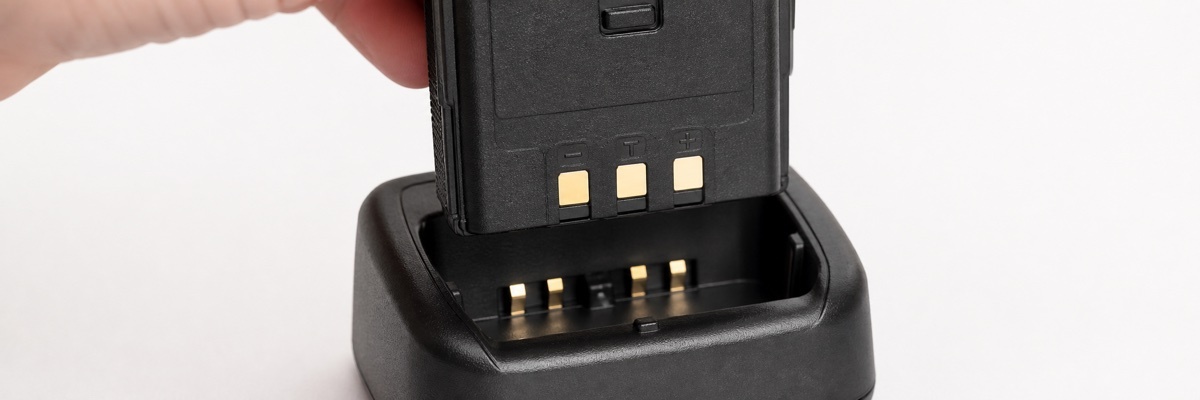 Check that the battery is seated correctly in the charging dock and that the contact points are clean and undamaged. A dirty or misaligned contact can cause charging problems that appear as unusual radio behaviour.
 Baofeng batteries are model-specific, so do not assume two packs are interchangeable simply because they look similar. If charging itself appears unreliable, see our guide on what to do when a walkie talkie won't charge.
What if the radio beeps when I press PTT but nobody hears me?
Start with the basics:
- Make sure both radios are using compatible frequencies or channels
- Check whether CTCSS/DCS settings match
- Confirm that the selected channel allows transmission
- Check the battery level
- Disconnect accessories and test using the radio's built-in microphone
- Make sure you are legally authorised to transmit with the equipment and frequency being used
If PTT produces a warning beep immediately, pay particular attention to the channel configuration and any busy-channel lockout setting. If you are new to programming channels, our Baofeng CHIRP programming guide is a useful place to start.
Should you factory reset a beeping Baofeng?
A factory reset should normally be one of the last troubleshooting steps rather than the first. Resetting can remove saved channels and custom settings, potentially creating more work than the original problem.
Before resetting:
- Back up your existing programming where possible
- Photograph or record important settings
- Check your exact model's manual
- Disconnect accessories and test again
- Try a known-good battery
⚠️ Do not assume that a reset menu number published for one Baofeng model is correct for another model or firmware version. If you have programmed the radio through software, create a backup first using the process covered in our CHIRP programming guide.
Recommended accessories and replacement radios
Whether you need to replace a faulty accessory, add programming capability to fix a channel issue, or replace the radio entirely, the four options below cover the most common next steps after troubleshooting.
🔧 Baofeng UK — Fix the Problem or Upgrade the Radio
From replacement accessories that solve specific beeping causes to simple licence-free radios for a fresh start.
🎧 Accessories — Fix Earpiece (Cause 6) & Channel (Cause 5) Beeping
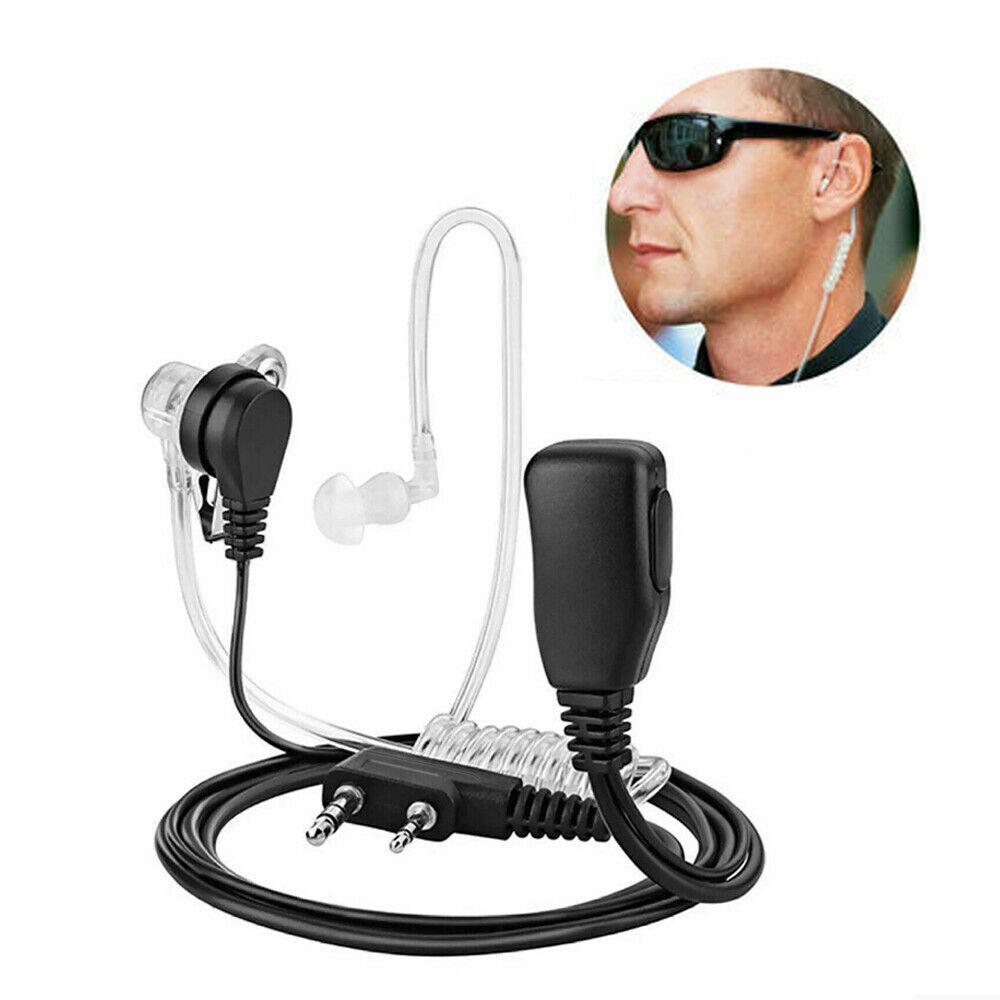
Baofeng Compatible Earpiece
2-pin · PTT button · Compatible with UV-5R, BF-888S and more — if a faulty earpiece is causing your beeping issue (Cause 6), replacing it with a known-good compatible earpiece is the quickest fix. Always check connector compatibility with your exact model.
View Earpieces
Baofeng USB Programming Cable
CHIRP compatible · For UV-5R, BF-888S and compatible models — if your beep is caused by a channel or programming problem (Cause 5), a programming cable and CHIRP software let you inspect and fix memory channels quickly. Always check compatibility with your exact model.
View Programming Cables📻 Replacement Radios — If Troubleshooting Has Not Resolved the Issue
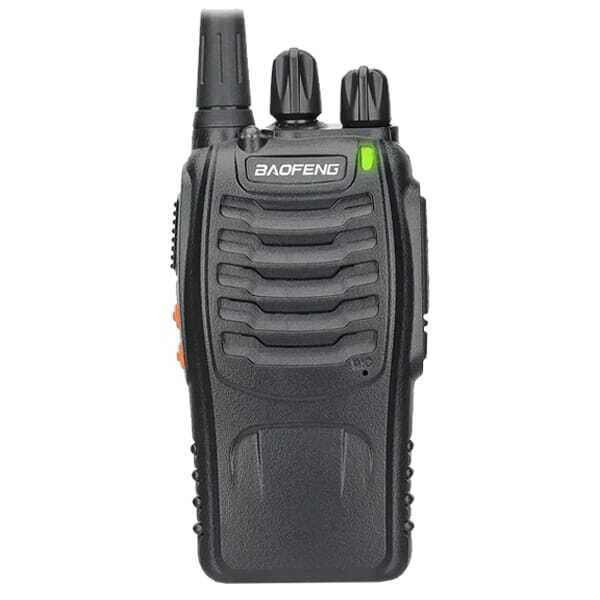
Baofeng BF-888S PMR446
PMR446 compliant · 16 channels · Fixed antenna · No licence needed — if troubleshooting suggests a hardware fault beyond economical repair, the BF-888S PMR446 offers a simple, pre-programmed licence-free replacement for families, hospitality and small teams.
View BF-888S PMR446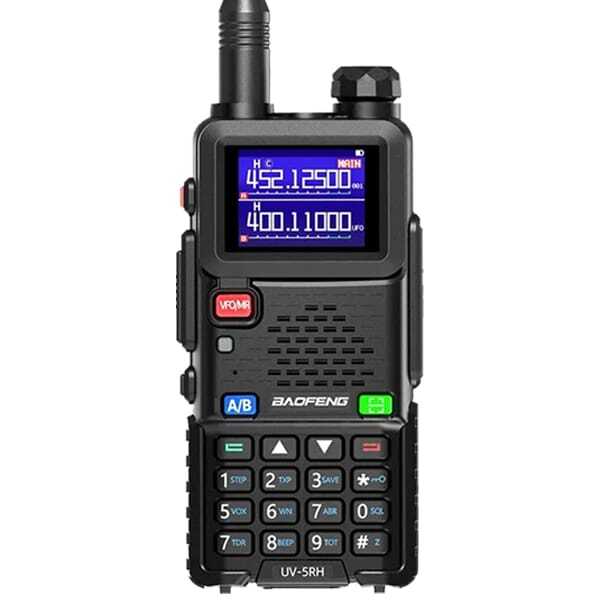
Baofeng UV-5RH
10W · 2500mAh · USB-C · 999 channels · Multi-band — a capable programmable replacement for licensed users who need more flexibility. Requires an appropriate Ofcom licence to transmit legally in the UK.
View UV-5RH⚠️ BF-888S PMR446 is licence-free when fully compliant. UV-5RH requires an appropriate Ofcom licence to transmit legally in the UK.
When is the radio probably faulty?
If the radio continues to produce unexplained warning tones after you have:
- Tested a fully charged battery
- Tried another working channel
- Disconnected all accessories
- Switched VOX off
- Checked the PTT button
- Reviewed the programming
There may be a hardware fault. Physical damage, liquid ingress, damaged controls or internal electrical faults can all cause abnormal behaviour. At that point, contact support with your exact model number, what the beep sounds like, when it occurs and what troubleshooting you have already performed.
UK licensing reminder
The fault itself has nothing to do with licensing, but troubleshooting often involves changing channels or testing transmission. For UK users, always make sure the radio and frequency are appropriate for how you intend to use them. If you specifically need simple licence-free communication, browse our PMR446 licence-free radios. If you are deciding between licence-free and programmable radios, our licensed vs unlicensed walkie talkies UK guide explains the key differences.
Final troubleshooting checklist
Diagnose your beep — start here
- Identify exactly when the beep occurs (every few seconds / on button press / on PTT press / on PTT release / only with accessory)
- Fully charge the battery and retest
- Test with a second known-good battery if available
- Check the BEEP/key tone setting and disable if unwanted
- Check the Roger/end-of-transmission tone setting
- Disconnect all accessories and test the radio on its own
- Switch VOX off and retest
- Verify the channel configuration and transmit permissions
- Check battery contacts and charger connections
- Review programming using CHIRP before resetting
- If all else fails, contact support with exact model number and fault description
📋 Related guides for common walkie talkie problems
Frequently asked questions
Why does my walkie talkie beep every few seconds?
A repeating beep commonly indicates low battery power, although warning tones vary between manufacturers and models. Fully charge the battery first. If the problem continues, test another compatible battery if possible. You can also read our walkie talkie battery guide for more troubleshooting advice.
Why does my Baofeng beep whenever I press a button?
The keypad BEEP or key-tone feature is probably enabled. Look for the appropriate sound setting on your model and disable it if you do not want audible button feedback. The exact menu position varies between Baofeng models, so check the instructions for your specific radio.
Why does my radio beep when I release PTT?
An end-of-transmission or Roger tone may be enabled. This indicates that the transmission has finished and can usually be switched off on models that support the feature. Look for a setting labelled Roger, ROGER or transmit-end tone in your radio's menu.
Why does my walkie talkie beep and stop transmitting?
If it happens after a long continuous transmission, the Time-Out Timer may have activated — release PTT briefly and retransmit. If it happens immediately when you press PTT, check the channel configuration, transmit permissions and busy-channel settings. If the radio repeatedly loses audio or transmission during normal conversations, see our guide to walkie talkies cutting out while talking.
Why is my walkie talkie beeping even though it is fully charged?
The battery may still be degraded even after a full charge — older lithium-ion batteries lose capacity over time. Alternatively, the beep may be caused by another setting entirely. Test another known-good battery and note exactly when the beep occurs. If charging itself appears unreliable, see our guide on what to do when a walkie talkie won't charge.
Can an earpiece make a Baofeng radio beep?
Yes. A damaged accessory, stuck remote PTT switch or poorly seated plug can cause unexpected radio behaviour. Disconnect the accessory and test the radio on its own. If that solves the problem, inspect the earpiece or consider replacing it with a compatible Baofeng earpiece.
Can VOX cause unexpected transmissions or sounds?
Yes. If VOX sensitivity is set too high, background noise or movement around the microphone may trigger the radio. Switch VOX off temporarily to see whether the problem stops. Our guide to VOX on walkie talkies explains how the feature works.
Should I reset my Baofeng to stop it beeping?
Only after simpler checks have failed. A reset may delete programmed channels and configuration settings. Back up the radio first and follow instructions for your exact model — do not assume that a reset menu number published for one Baofeng model applies to another.
Browse Baofeng Walkie Talkies & Accessories
Whether you are replacing a faulty earpiece, adding a programming cable to fix channel issues, or choosing a new radio that better suits your team — Baofeng UK has the right option for your UK licence situation and budget.