9th Jan 2026
What are CTCSS & DCS? A Guide to Walkie Talkie Privacy Codes
"My radio is on the same frequency — I can hear others, but why can't they hear me?"
In radio communications, this is one of the most common frustrations. The solution is almost always the same: check if your CTCSS or DCS codes match.
But what exactly are these codes? And why do mismatched settings disrupt communication? In this guide, we break down the principles of CTCSS and DCS, explain how sub-audible tones work on your walkie talkie, and show you how to set them up correctly.
⚡ Quick Summary: CTCSS vs DCS
- 🔊 CTCSS: analogue sub-audible tone (67–254 Hz). 38–50 codes. Simple channel filtering.
- 💻 DCS: digital binary code (e.g. D023N). 104–210 codes. Stronger interference resistance.
- ⚠️ Neither is encryption: they filter what YOU hear, but do not stop others from hearing you.
- ✅ Key rule: both transmit AND receive codes must match between all radios in your group.
- 📖 Need a radio? See our recommended walkie talkies with full CTCSS/DCS support.
📋 Table of Contents
What Are CTCSS and DCS?
CTCSS (Continuous Tone-Coded Squelch System)
CTCSS is an analogue signalling technology. It embeds a sub-audible tone (between 67.0 Hz and 254.1 Hz) into your transmissions. Receivers configured with CTCSS will remain muted (silent) until they detect a signal containing that exact preset tone.
The industry standard provides 38–50 predefined CTCSS frequencies (for example, 100.0 Hz). While effective for basic channel filtering, this analogue system has limitations in noisy environments.
DCS (Digital-Coded Squelch)
DCS is the digital evolution of CTCSS. It uses binary coding (for example, D023N) with 104–210 code variations depending on the manufacturer.
DCS offers stronger interference resistance than CTCSS because it uses digital error correction, making it more reliable in busy or noisy radio environments.
How Both Systems Work
Both systems require identical codes between communicating devices — the same tone frequency for CTCSS, or the same digital sequence for DCS. If the codes do not match, the radio keeps the speaker muted, ensuring you only hear the people you want to hear.
Comparison: CTCSS vs DCS
| Feature | CTCSS | DCS |
|---|---|---|
| Full name | Continuous Tone-Coded Squelch System | Digital-Coded Squelch |
| Signal type | Analogue sine wave | Digital binary code |
| Anti-interference | Average (susceptible to noise) | Stronger (digital error correction) |
| Frequency range | 67.0 Hz – 254.1 Hz | No fixed frequency (digital codes e.g. D023N) |
| Code variations | 38–50 standard tones | 104–210 (manufacturer dependent) |
| How it works | "Key and lock" — receiver unmutes only when it detects the matching tone frequency | 23-bit digital code — receiver must fully match the binary sequence before unmuting |
Why Use Privacy Codes?
For UK users — especially those using licence-free PMR446 radios — channel interference is a common challenge. With only 8 to 16 legal channels available to the public, communications can become chaotic in busy areas like construction sites, schools or events.
By configuring a specific CTCSS or DCS code, your radio attaches a digital "tag" to your voice. Only radios looking for that specific tag will unmute and play your audio, effectively filtering out other users on the same channel.
⚠️ Important Key Notes:
- Tone codes ≠ encryption. They act as filters, not shields.
- Same channel + same code = normal communication.
- Privacy warning: users who have their CTCSS/DCS set to "Off" (0) can still hear everything you say. These codes prevent you from hearing them, but they do not stop them from hearing you.
How to Set Up CTCSS / DCS
Method 1: Manual Setting (Baofeng UV-5R Example)
- Enter the menu (Menu 10 – Menu 13) in VFO mode
- Select R-CTCSS / R-DCS (Receiver) and T-CTCSS / T-DCS (Transmitter)
- Ensure both the Transmit (T) and Receive (R) codes match across all radios in your group
- Save the settings and test communication
Method 2: PC Programming
- Connect your radio using a programming cable
- Read data from the radio using programming software
- Select the channel row and input the desired CTCSS/DCS numbers in the Decode/Encode columns
- Write to the radio to save changes
👉 How to Program the Baofeng UV-5R Mini with the Bluetooth App
Reception Scenarios: Who Hears Whom?
Understanding when you will (and will not) hear a signal based on your receiver settings is critical:
| Your Receiver Setting | Incoming Signal Setting | Result |
|---|---|---|
| Code set (e.g. 100.0 Hz) | Same code (100.0 Hz) | ✅ Audio heard — working properly |
| Code set (e.g. 100.0 Hz) | Different code / no code | ❌ Silence — signal is filtered out |
| No code (Off / 0) | Any code | ✅ Audio heard — you hear everything on the channel |
Troubleshooting Common Issues
If you are having problems with CTCSS/DCS settings, try these steps:
- Cannot hear your team? Temporarily turn off the CTCSS/DCS code on your receiver. If you can now hear them, the issue was a code mismatch.
- Check the frequency first: make sure everyone is on the exact same main frequency (e.g. PMR Channel 1) before worrying about sub-codes.
- Check tone mode: ensure you have not accidentally set a "Receive Only" tone without setting a corresponding "Transmit" tone.
- Check for inverted DCS: some radios use "Normal" (N) and "Inverted" (I) DCS codes — make sure all radios match.
Recommended Radios with Full CTCSS/DCS Support
All of the following Baofeng models support both CTCSS and DCS privacy codes, making them suitable for organised group communication:
📱 UV-5R Mini
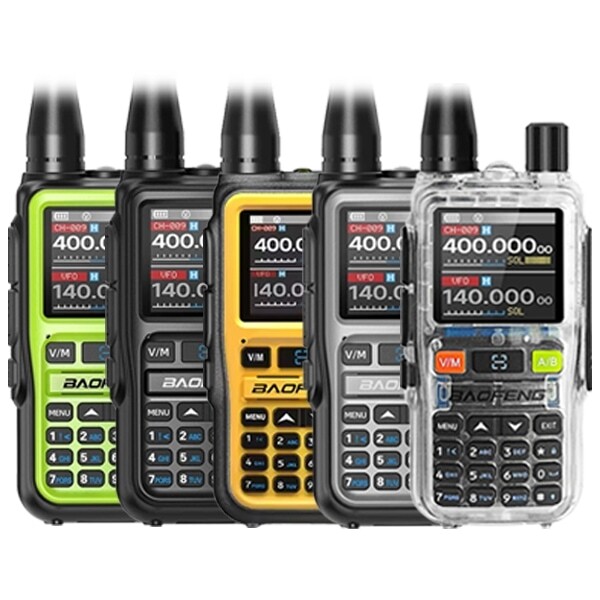
Bluetooth App Programming + USB-C
Set CTCSS/DCS codes directly from your phone via Bluetooth — no cable or PC needed. The easiest way for beginners to configure privacy codes.
- 50 CTCSS / 104 DCS codes
- Bluetooth app programming
- USB-C charging
- Compact and lightweight
Best for: Beginners, easy CTCSS/DCS setup via app
🔋 UV-5RM Plus
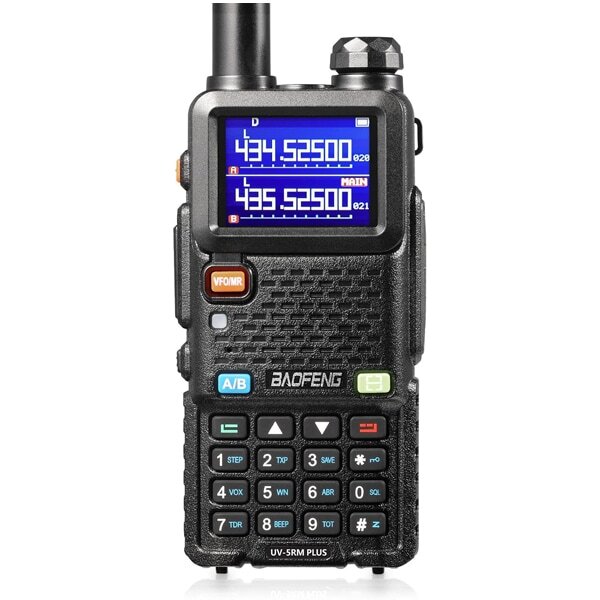
Multi-Band + Long Range
A versatile multi-band radio with full CTCSS/DCS support. Strong output and extended range make it a solid choice for organised group comms.
- 50 CTCSS / 104 DCS codes
- Multi-band frequency coverage
- Higher power output for better range
- Large battery for extended use
Best for: Group communication, multi-band flexibility
🏔️ UV-98 PRO
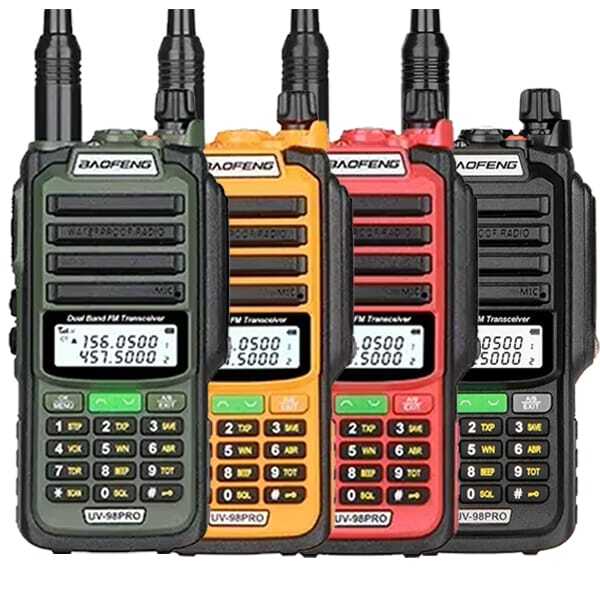
IP68 Waterproof + 8W Power
Rugged and waterproof with full CTCSS/DCS. Ideal for outdoor teams who need reliable privacy code filtering in demanding conditions.
- 50 CTCSS / 104 DCS codes
- IP68 waterproof and dustproof
- 8W high-power output
- 2800mAh extended battery
Best for: Outdoor use, wet weather, rugged environments
📡 UV-32 GPS
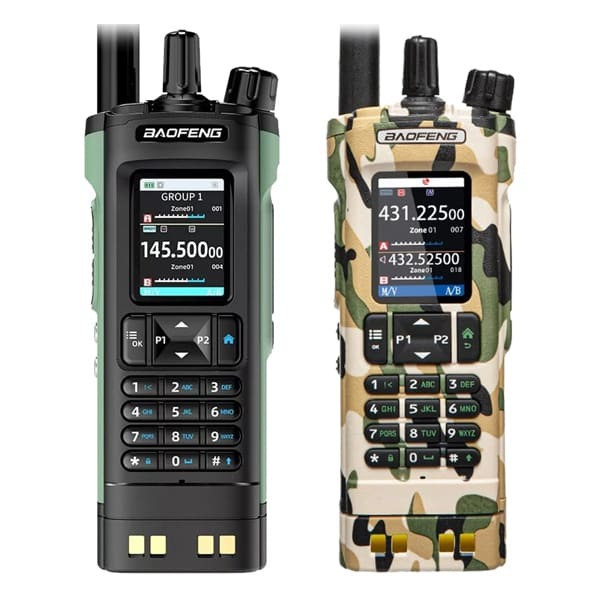
GPS + Bluetooth Programming + 10W
Advanced features including built-in GPS and Bluetooth programming, combined with full CTCSS/DCS support. A powerful option for experienced users who want location awareness alongside privacy codes.
- 50 CTCSS / 104 DCS codes
- Built-in GPS module
- Bluetooth app programming
- 10W high-power output
Best for: Advanced users, GPS tracking, long-range group comms
Helpful Related Guides and Categories
- All Walkie Talkies
- PMR446 Licence-Free Radios
- Long-Range Walkie Talkies
- Waterproof Walkie Talkies
- Radio Accessories
- Programming Cables
- Drivers & Software Downloads
- Affordable Ham Radios for UK Beginners
- How to Choose Long Range Walkie Talkies | UK Buying Guide
- How to Get a UK Ham Radio Licence
Shop Radios with Full CTCSS/DCS Support
All of these models support both CTCSS and DCS privacy codes:
Need programming cables or software? Browse all radio accessories →
Frequently Asked Questions
Which is better, CTCSS or DCS?
DCS is generally considered better because it is digital. It offers more code options (104+ vs 50) and is less susceptible to interference than the analogue CTCSS system. However, CTCSS is simpler and widely supported across all brands.
Do privacy codes prevent others from hearing me?
No. CTCSS and DCS are not encryption. They simply stop your radio from playing unwanted audio. Anyone on your channel with their privacy codes turned off (set to 0) can still hear your conversation.
Does using CTCSS reduce my radio range?
No. Privacy codes do not physically reduce transmission power or range. However, because the receiver needs a "clean" signal to detect the tone, a very weak signal at the edge of your range might not open the squelch, making it seem like range is slightly shorter.
Are CTCSS codes universal across brands?
Mostly, yes. The standard 38 analogue tones are usually consistent between brands like Motorola, Baofeng and Kenwood. However, DCS digital codes can vary by manufacturer, so it is best to check your user manual if mixing radios from different brands.
How do I set up CTCSS/DCS on a Baofeng radio?
You can set codes manually via the radio menu (Menu 10–13 on UV-5R models), via PC using a programming cable and software, or via Bluetooth app on models like the UV-5R Mini.
Why can I hear other people on my channel even with CTCSS set?
If your CTCSS/DCS receive code is turned off (set to 0), your radio will play all audio on the channel regardless of tone codes. Make sure both your transmit AND receive codes are set correctly.
Final Thoughts
CTCSS and DCS privacy codes are essential tools for managing shared radio channels. They do not provide encryption, but they significantly reduce unwanted noise and interference — making group communication clearer and more organised.
The key rule is simple: make sure all radios in your group are set to the same frequency AND the same CTCSS or DCS code, on both transmit and receive. Once configured correctly, your team can communicate clearly without being disrupted by other users on the same channel.
Still deciding which radio to buy? Read our How to Choose Long Range Walkie Talkies | UK Buying Guide for more help.