
11th Feb 2026
Radio with Frequency: Teams Walkie Talkie vs Traditional Walkie Talkie
The phrase "teams walkie talkie" has grown rapidly in search volume as businesses look for new ways to enable instant communication between staff. With the rise of cloud platforms and mobile collaboration tools, Microsoft Teams walkie talkie is positioning itself as a digital alternative to the traditional walkie talkie.
But how does it really compare? And is it a replacement for real two way radios?
In this guide, we break down how the teams walkie feature works, where it performs well, and when a traditional walkie talkie still wins.
What Is Teams Walkie Talkie?
Microsoft Teams walkie talkie is a push to talk (PTT) feature built into the Microsoft Teams app. It allows frontline workers to communicate instantly using their smartphone or supported platform device operating system.
Instead of bulky radios, staff can use:
- A phone with the teams app installed
- A headset or dedicated button accessory
- Wi Fi or mobile data connection
The walkie talkie feature operates within the same underlying teams channels already created inside Microsoft Teams. That means a walkie talkie channel is directly linked to existing teams channels infrastructure.
How Teams Walkie Talkie Works
When a user presses the talk button, the system begins audio transmission. Here’s what happens technically:
- User connects to a walkie talkie channel
- Transmission starts
- First audio packet is sent
- Service delivers packets to participants connected
- Transmission ends after the last audio packet
- Transmissionendtime date and transmissionstarttime date are logged
Technical Data & Reporting
Each PTT transmission includes metadata. This data allows the Microsoft Teams admin center to generate performance reports:
- TenantId (description tenantid tenant id)
- UserId (userid user id)
- DeviceId (deviceid device id)
- TeamId (teamid id)
- ConversationId (conversationid i)
- ConnectionId (connectionid i)
- PacketCount (packetcount number)
- TransmissionDuration (transmissionduration duration)
- AudioDurationMilliseconds (audiodurationmilliseconds duration)
- TotalParticipantsCount (totalparticipantscount total number)
If transmission exceeded the duration limit, the service may flag it and stop the PTT transmission automatically.
Key Features of Teams Walkie
The teams walkie functionality includes:
- Push to talk PTT
- One channel communication per transmission
- Push notification alerts
- Answer end call button options
- Works even when phone is locked
- Re establish connection if network drops
Because it uses underlying teams channels, multiple channels can be configured across departments. This makes it suitable for retail staff, warehouse frontline workers, hospitality teams, and security supervisors. However, note walkie talkie usage depends entirely on internet connectivity.
Teams Walkie vs Traditional Walkie Talkies
Now let’s compare digital and radio based systems.
| Feature | Microsoft Teams Walkie | Traditional Walkie Talkie |
|---|---|---|
| Connectivity | Requires Wi-Fi / Mobile Data | Direct Radio Frequency (No Internet needed) |
| Reliability | Fails if signal drops / Server issues | 100% reliable within line-of-sight |
| Durability | Fragile (Glass Smartphone Screens) | Rugged, Waterproof, Industrial Build |
| Latency | Slight delay (Packet routing) | Instant (Zero latency) |
Connectivity
Teams walkie talkie requires Wi Fi or mobile data and devices connected to Microsoft servers. Traditional walkie talkies use direct radio transmission, operate independently of internet, and do not rely on cellular networks.
If mobile data fails, teams walkie will not function. A traditional walkie talkie continues to operate as long as radios are within range.
Reliability and Ease of Use
Traditional walkie talkies provide clear communication in remote areas and dedicated hardware optimized for audio. Teams walkie talkie works well in strong network coverage environments but may struggle if signal drops or transmission duration exceeds limits.
Furthermore, traditional radios feature physical dedicated buttons designed for wearing gloves. Smartphone based PTT may be less practical in industrial environments, especially when using other apps simultaneously.
Transmission Flow and Data Handling
Each audio transmission is broken into audio packets. The service receives, processes, and delivers them in sequence.
Important internal metrics include:
- TransmissionStartTime date
- TransmissionEndTime date
- AudioDurationMilliseconds duration
- TotalParticipantsCount total number
- Participants flagged
- Boolean value indicators for delivery success
A semi colon delimited list may record participant details for reporting purposes. If one participant disconnects, the service still delivers to other participants connected.
When Teams Walkie Makes Sense
Teams walkie is ideal when:
- Your workforce already uses Microsoft Teams
- Staff carry company phones
- You need integration with teams channels
- Reporting and analytics matter
- You operate primarily indoors
It enhances mobile communication without needing additional bulky radios.
When Traditional Walkie Talkies Are Better
Choose a traditional walkie talkie when:
- You need instant communication without internet
- You operate in remote locations
- Clear communication is critical during emergencies
- Devices must survive rough handling
- You require guaranteed push to talk performance
Radio based systems avoid packet delay, server routing, and mobile data dependency.

Real radios are built for environments where touchscreens and mobile data fail.
Best Traditional Radios for Industry
If your team requires reliability that doesn't depend on Wi-Fi or Mobile Data, these are the top recommended alternatives.
Best for Durability: UV-98 PRO
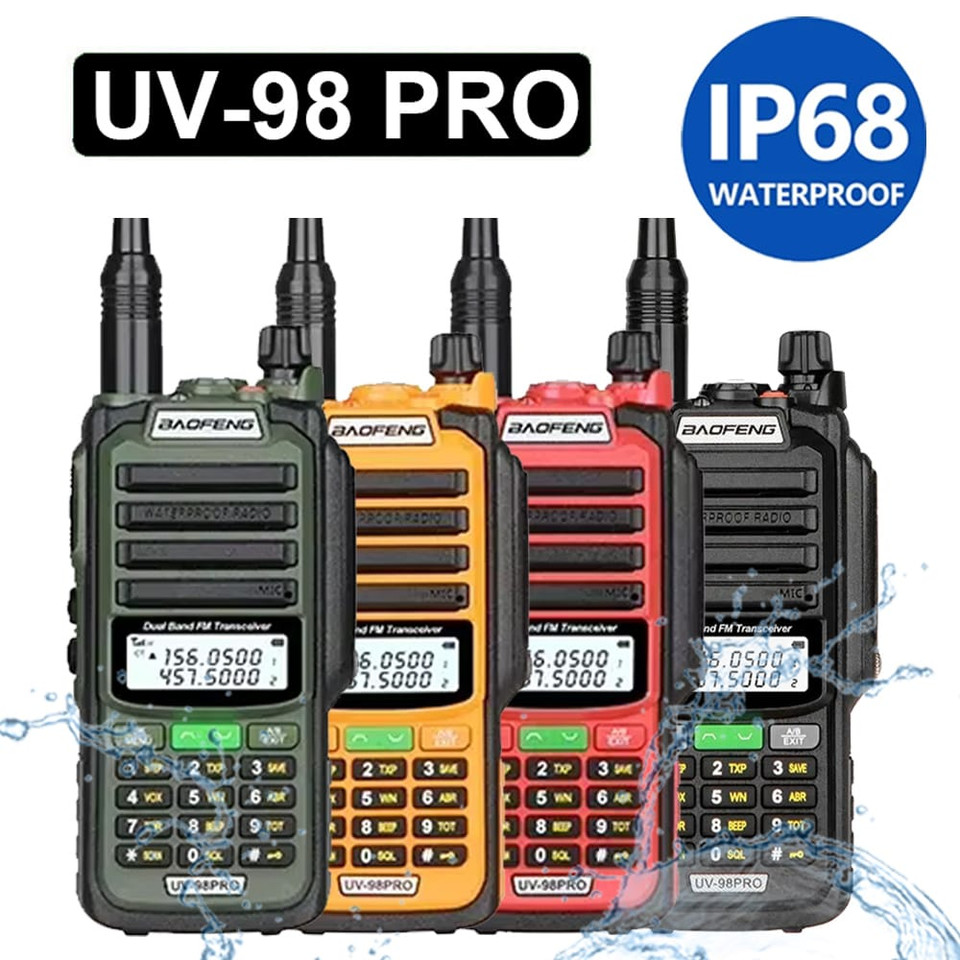
Better than Phones: IP68 Waterproof
Smartphones break when dropped in water. The UV-98 PRO is fully waterproof (IP68). Ideal for construction, outdoor security, and wet environments.
Key Feature: Heavy Duty & Waterproof
Best Digital Clarity: DM-32
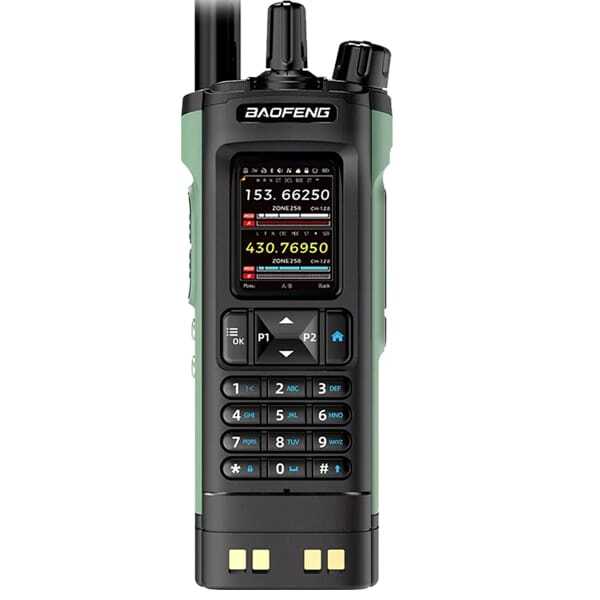
Better than Phones: Instant & Secure
Provides the same "Digital Clarity" as Teams, but without monthly fees or signal dropouts. Features Tier II DMR for secure business communication.
Key Feature: Private Digital Encryption
Final Thoughts
The rise of teams walkie talkie reflects the shift toward software driven communication. The walkie talkie works through digital infrastructure, offering monitoring, reporting, and integration inside Microsoft Teams.
However, it does not replace traditional walkie talkies in environments where reliability, durability, and independent transmission matter most.
If your team needs cloud integration and structured channel activity reporting, Microsoft Teams walkie is a modern solution. If your team needs guaranteed instant communication regardless of Wi Fi or mobile data, a dedicated radio device remains the superior choice.
Understanding both systems helps you choose the right communication tool for your operational needs.
Frequently Asked Questions
Does Teams Walkie Talkie work without internet?
No. Microsoft Teams Walkie Talkie requires an active internet connection (Wi-Fi or Mobile Data/4G/5G). If the signal drops, communication is lost. Traditional radios do not need internet.
Can Teams Walkie Talkie connect to real radios?
Not directly. Teams uses digital VoIP data over the internet, while radios use RF (Radio Frequency). However, specialized "RoIP" (Radio over IP) gateways can be purchased to bridge the two systems, though this is expensive.
Does Teams record Walkie Talkie conversations?
The Teams Admin Center logs metadata (who spoke, for how long), but by default, it does not record the actual audio of Walkie Talkie transmissions for playback, unlike standard Teams meetings.